Trainer Finder
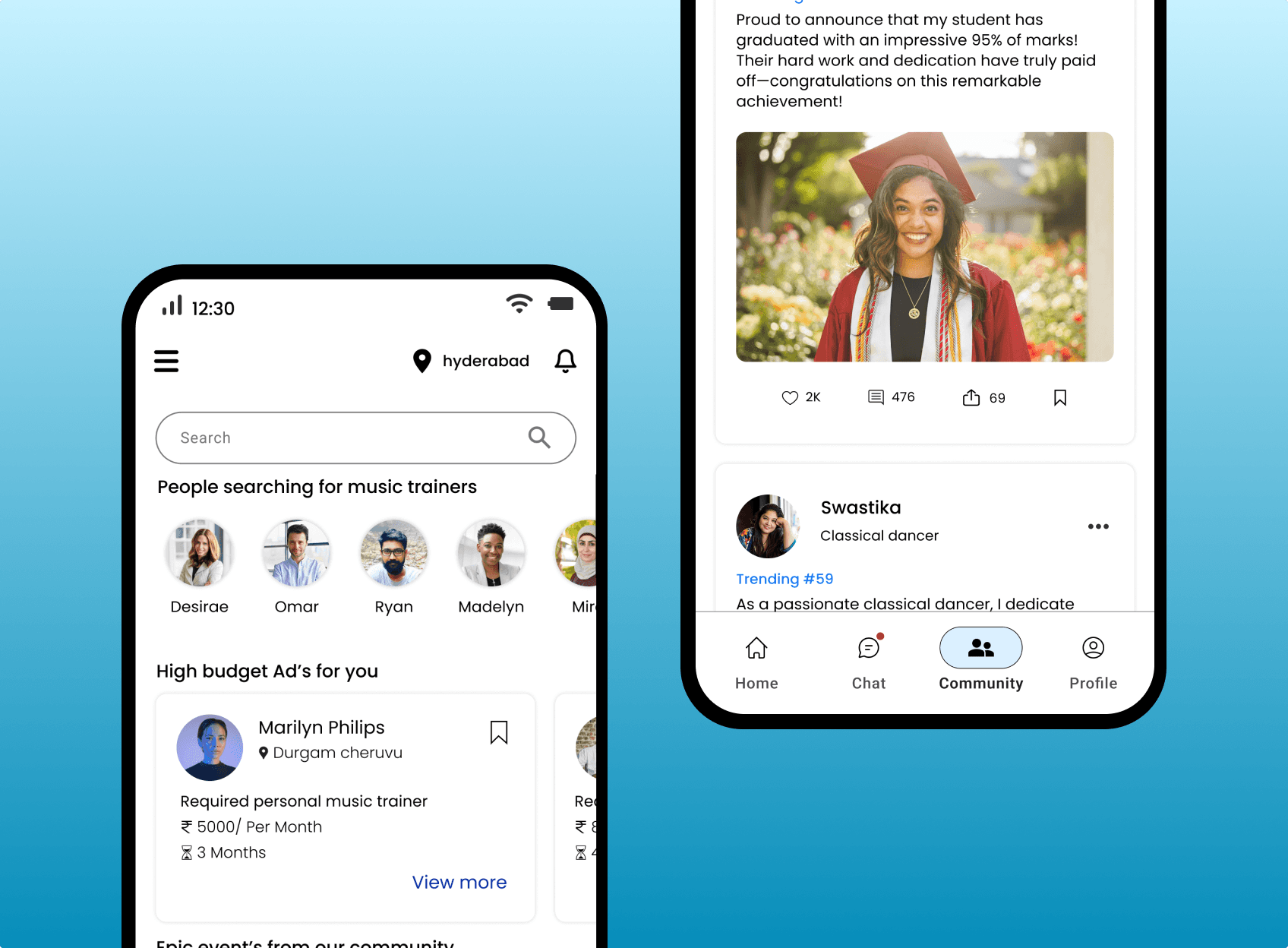
Trainer Finder connects you with self-employed trainers who match your goals, location, and preferences. Access live training sessions, secure communication, and a supportive community all in one seamless app.
Position
UIUX designer
Academy
Designerrs Academy
Timeline
3 months
What is Trainer Finder ?
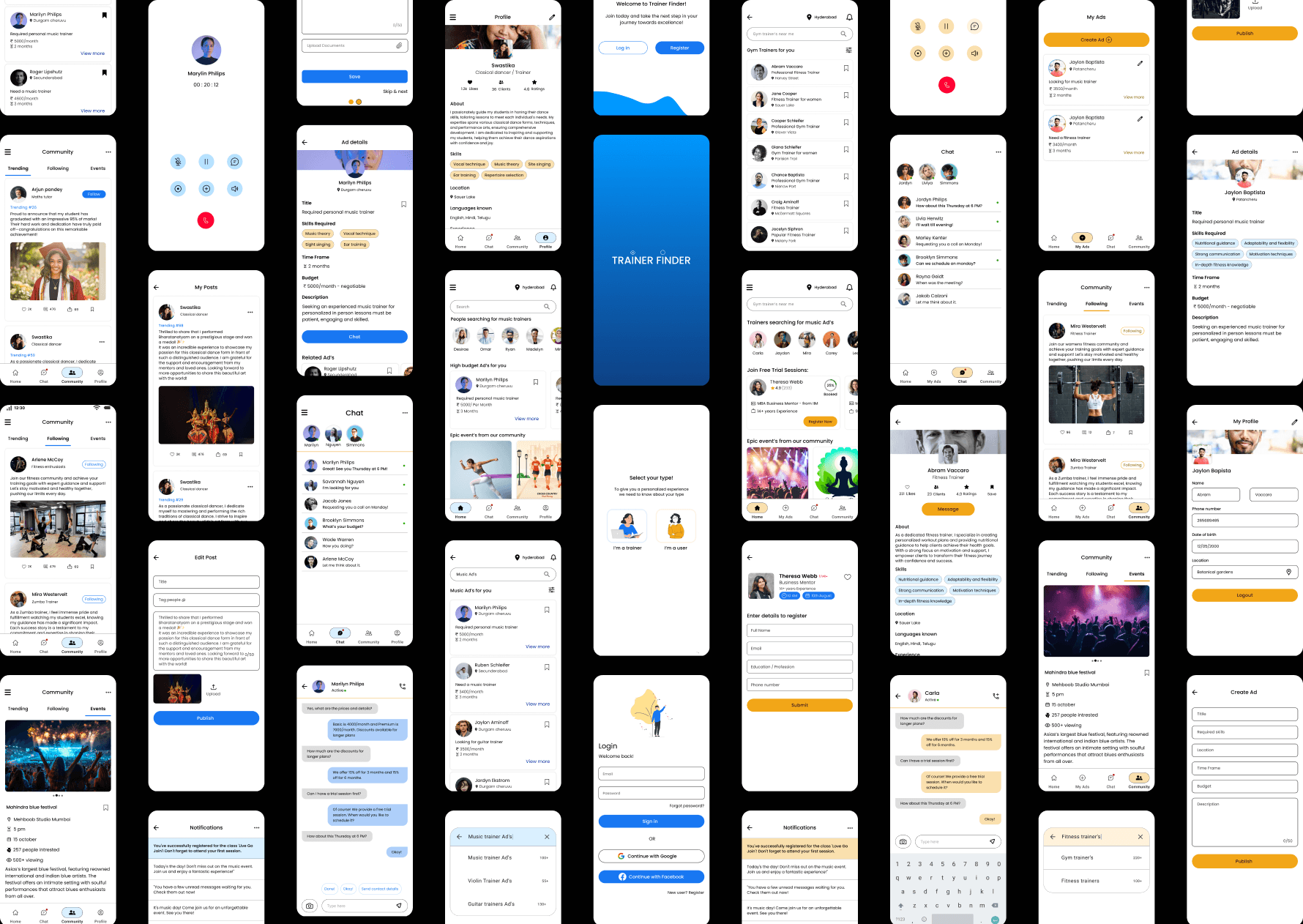
Trainer Finder is a mobile app that connects self-employed trainers and clients based on location, goals, and preferences. It offers features like Ad posting, live training sessions, secure in-app communication, and a supportive community. The platform ensures a seamless and personalized experience for both trainers and clients through separate interface.
Problem Statement
Users find it challenging to locate verified trainers within their area, often resorting to referrals and advertisements, which are time-consuming and unreliable. This results in
Studies show that approximately 20–30% of trainers and tutors in various fields have difficulty reaching their target audience, while 25–40% of people struggle to find a suitable trainer or tutor who meets their needs.
By addressing these issues, we can significantly improve the experience for both trainers and clients, ensuring that they can find each other easily and effectively.
End users
Clients -- Individuals looking for trusted, nearby trainers who match their goals.
Trainers - Self-employed professionals seeking to connect with relevant clients and grow their business.
Research
I interviewed 5 clients and 5 self-employed trainers to understand user needs and their pain points in finding or offering personalized training.
User Insights
High drop-offs in the major flow
High drop-offs in the major flow
Difficulty finding trustworthy trainers nearby
Lack of secure communication between trainer and client
Unverified trainer listings
Outdated contact details
Lack of user community
Problems
High drop-offs in the major flow
High drop-offs in the major flow
Goals
Verified trainer profiles with details and certificates
In-app secure chat & call
Ad posting and scheduled live session
Community to get engagement
Personas
From the insights gathered, I identified common goals and pain points among the target audience and created two detailed personas based on this data, one for trainers and the other for clients.
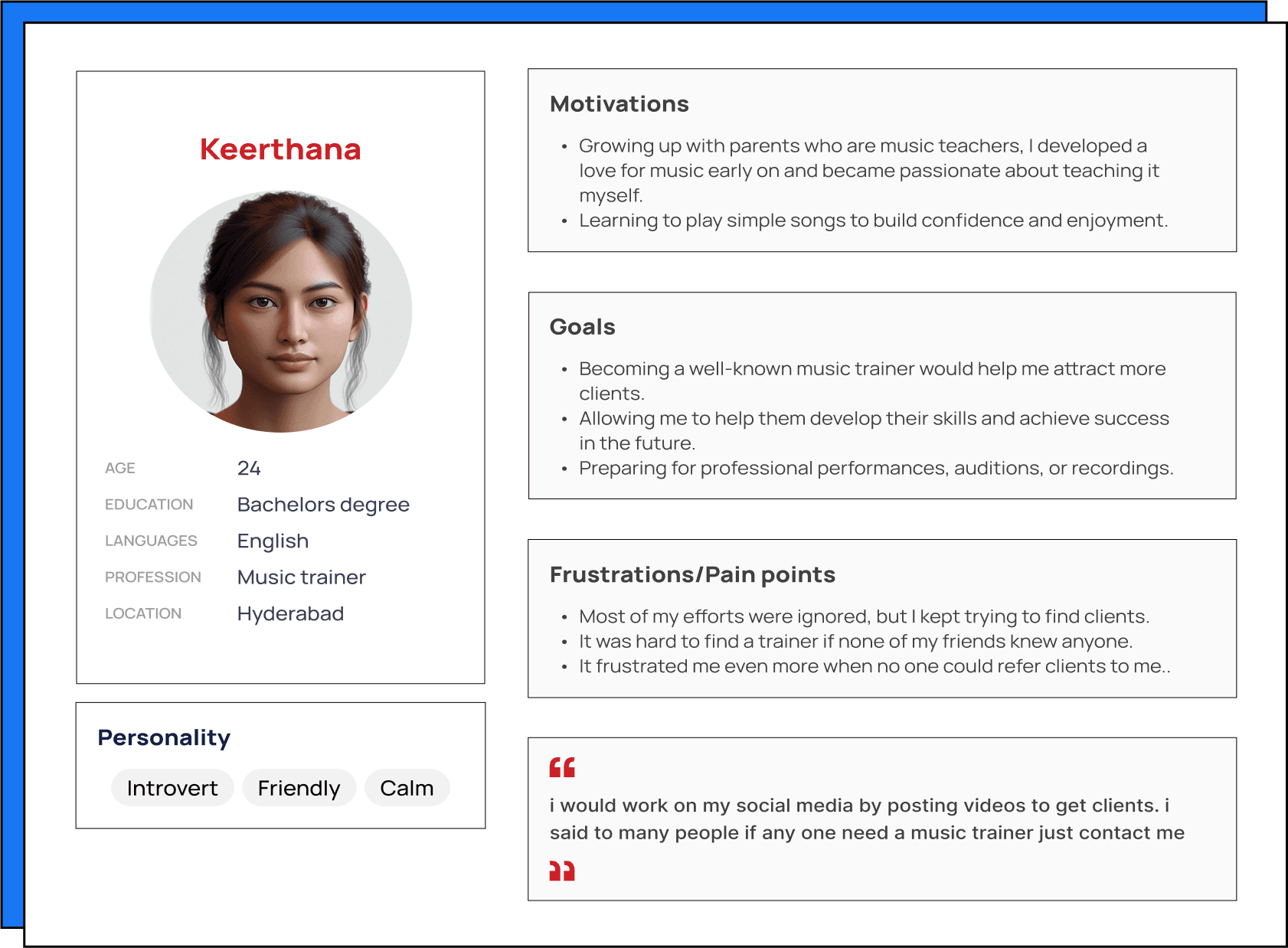
Trainer
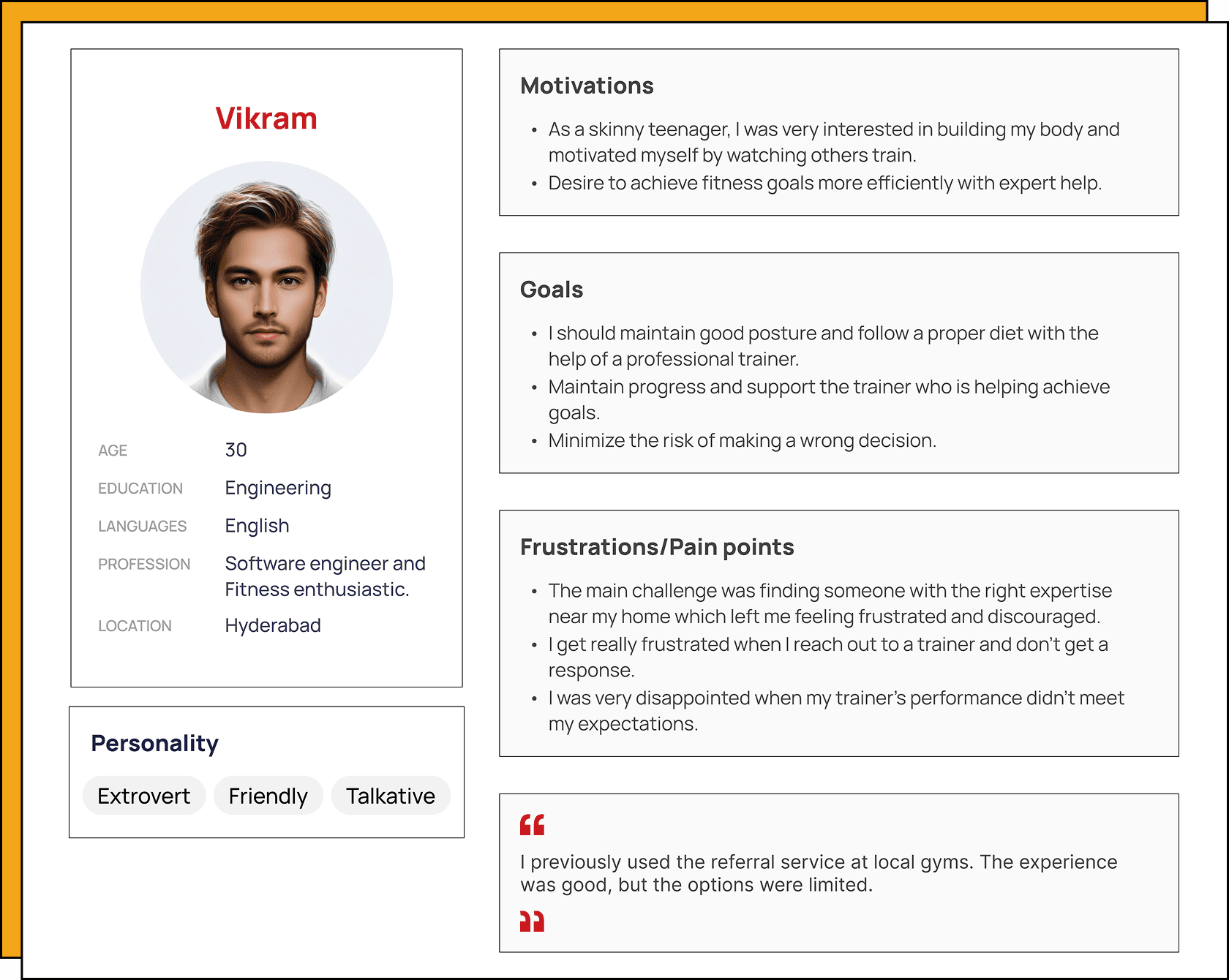
Client
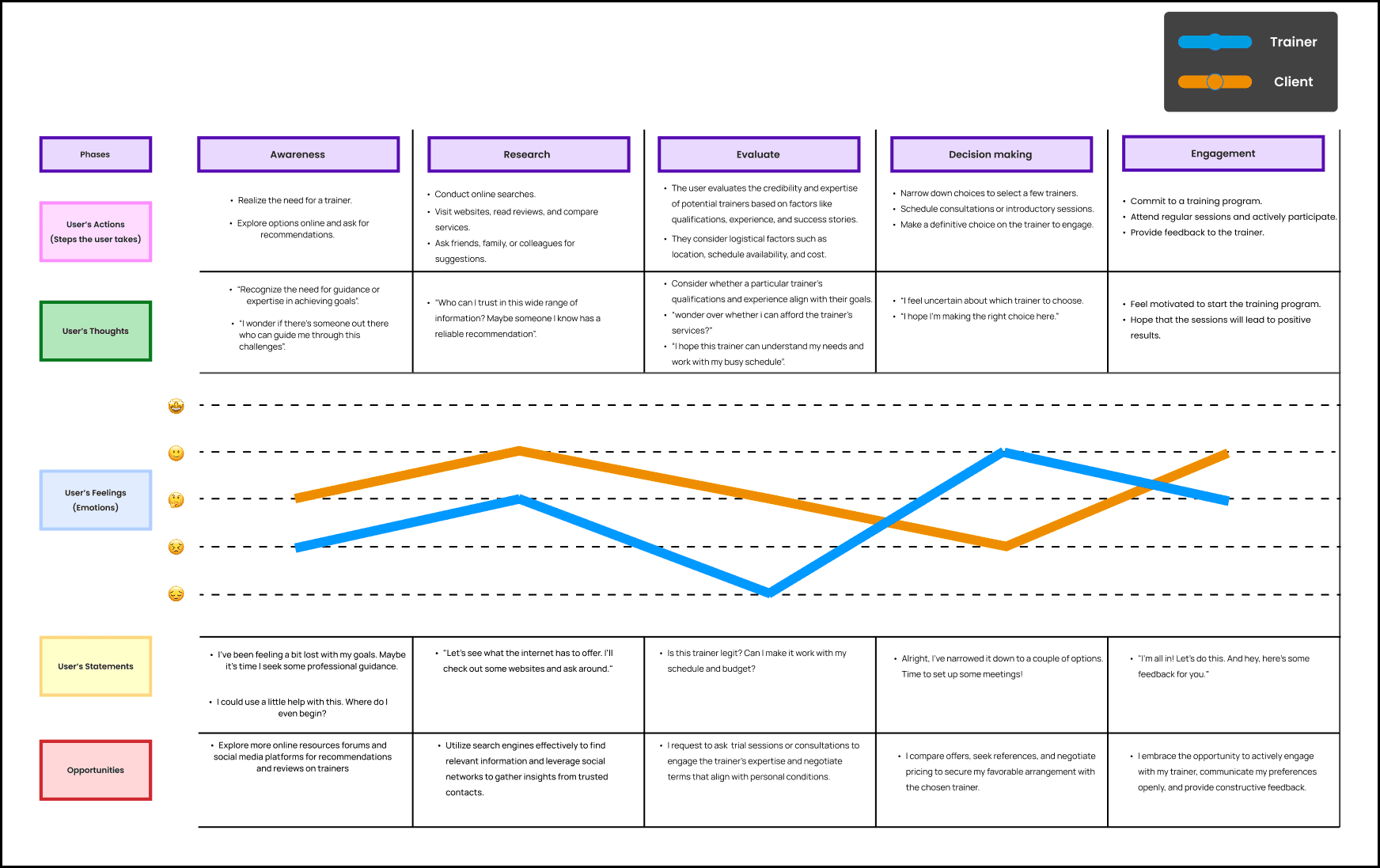
Customer Journey Map
This map captures their actions, emotions, and pain points throughout their journey.
By detailing the experiences of both trainers and clients, from planning to final interaction, I was able to identify where challenges occur and where the experience breaks down.
Ideation
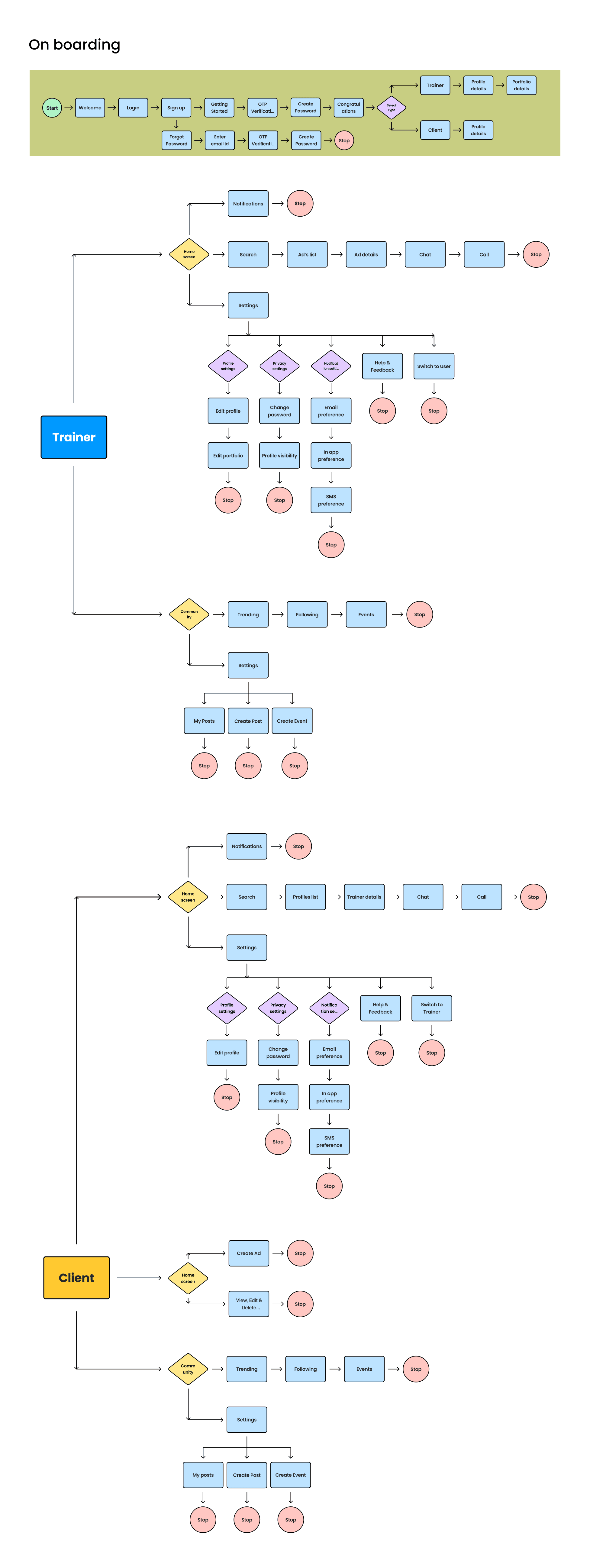
Using insights from the journey map, I developed primary task flows for both trainers and clients to ensure that each step of their journey was well-defined and tailored to their needs. I then designed a user flow that outlined the specific actions required for users to complete tasks efficiently and intuitively.
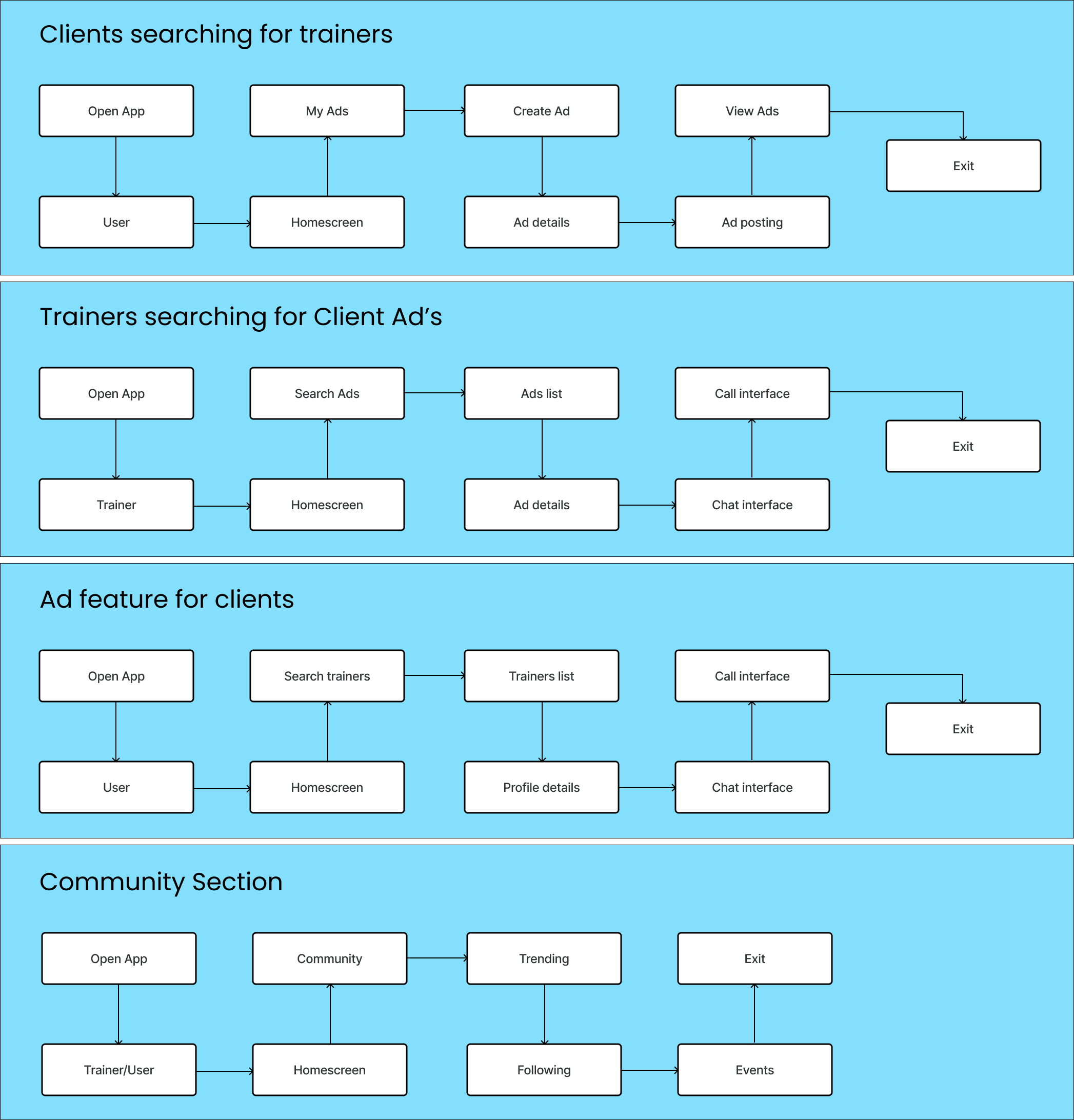
User Flow
Design
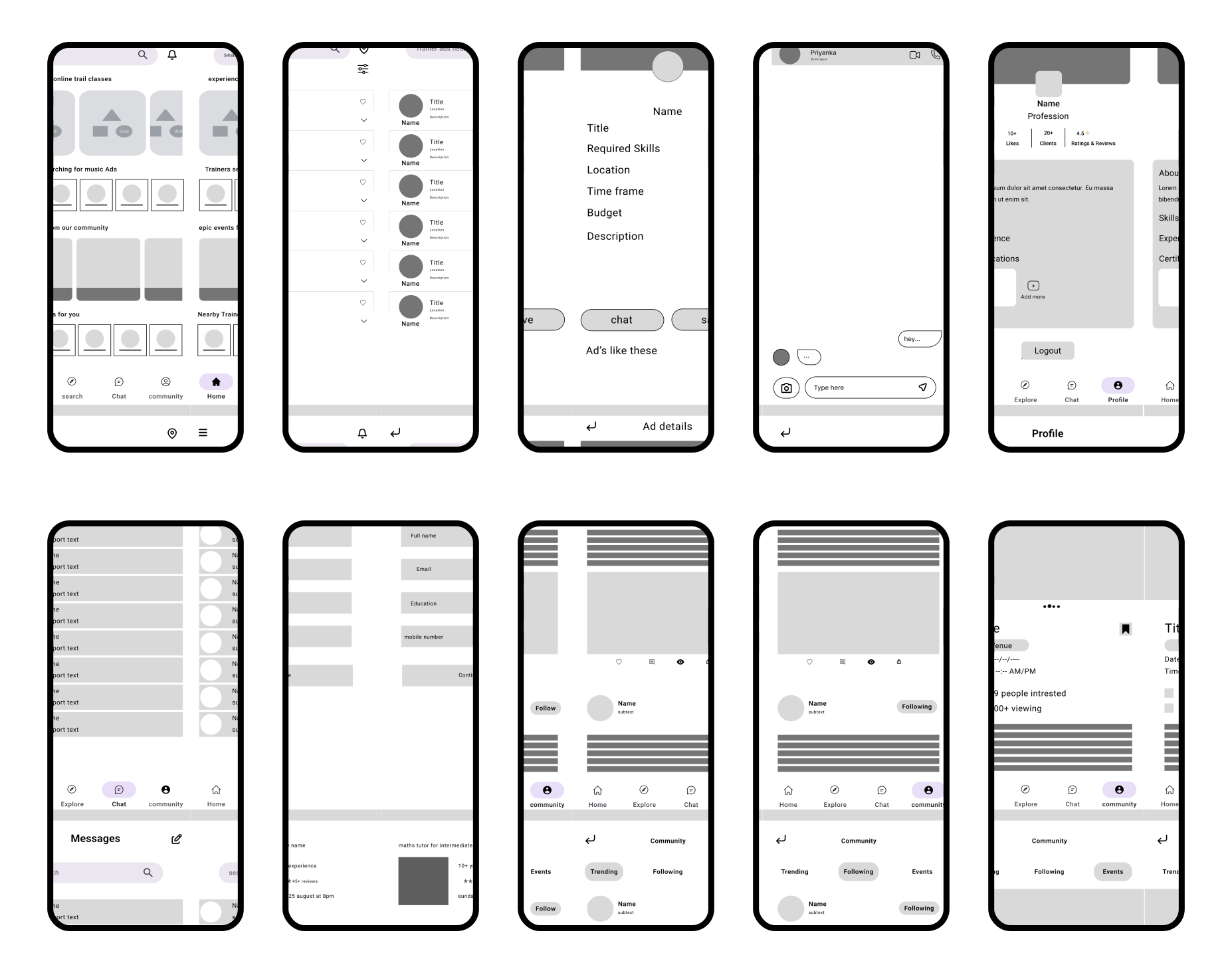
Using these insights and creative thinking, I crafted a complete plan to ideate the designs into real life. I began with simple low fidelity wireframes and progressed to details high fidelity designs
Trainer Flow
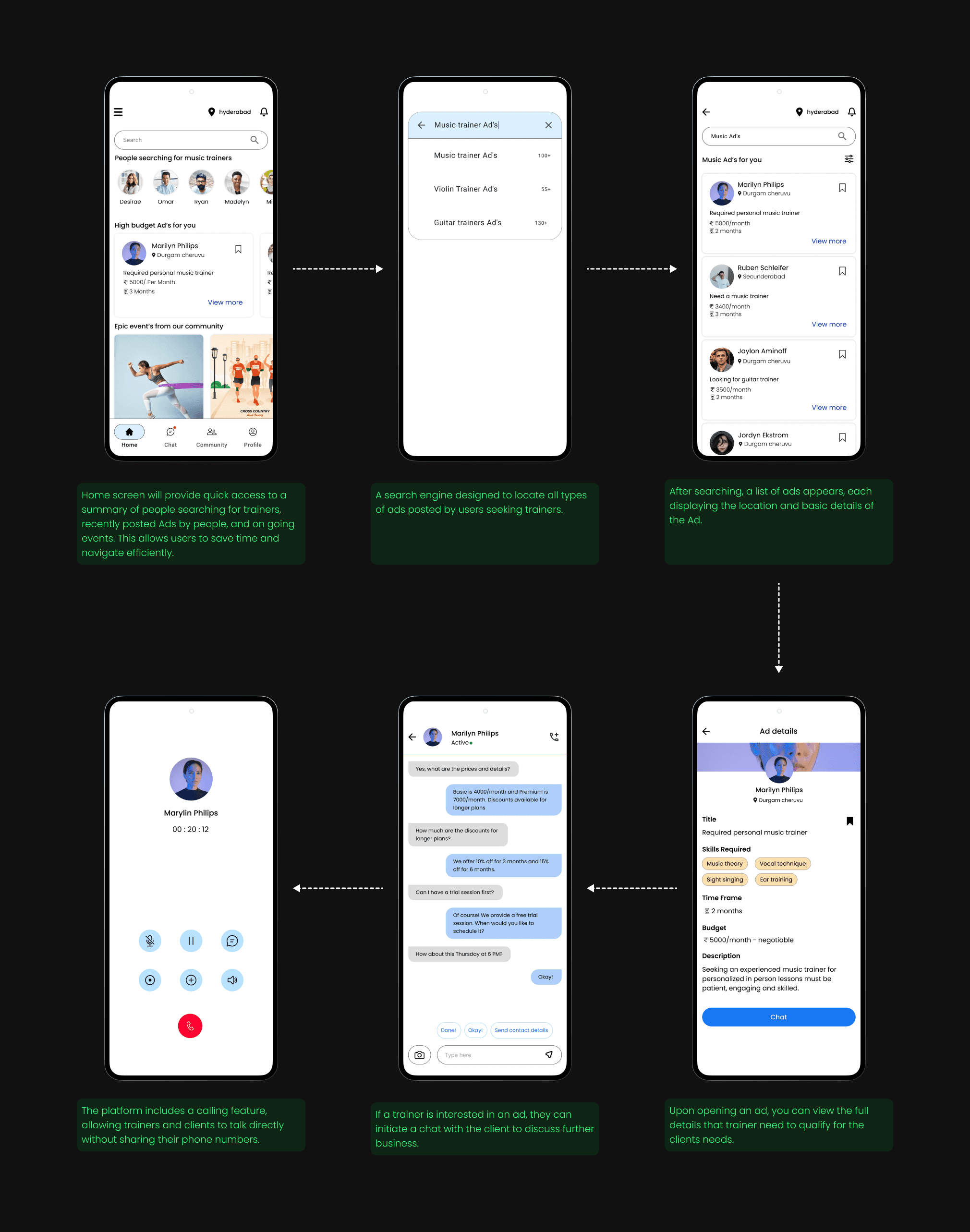
Trainers can search for specific ads posted by clients. When they find an interesting ad, they can communicate with the client to discuss further business.
Community
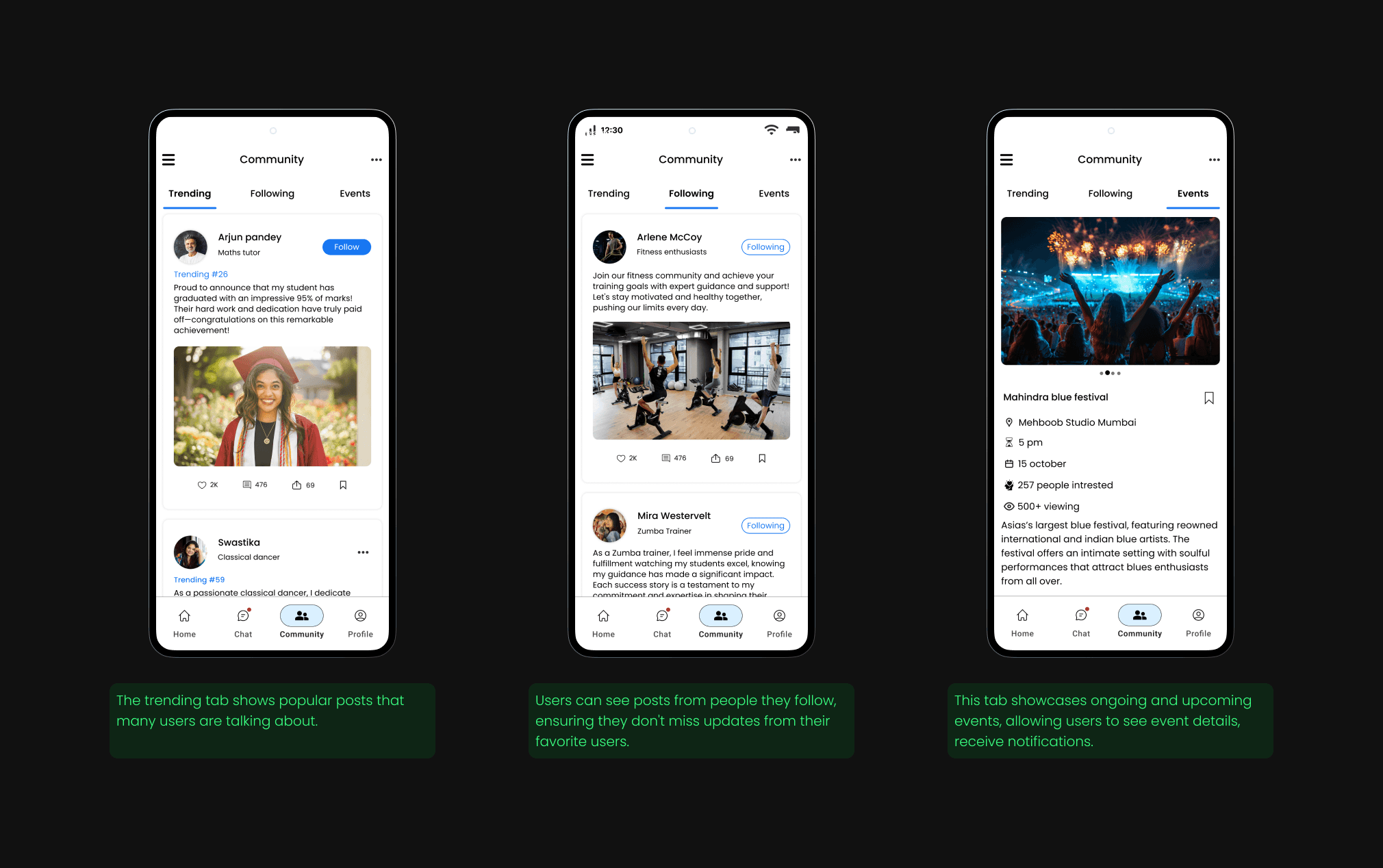
In addition to addressing the core problem, I personally built a community section for both trainer and client flow to engage users with the application.
Client Flow
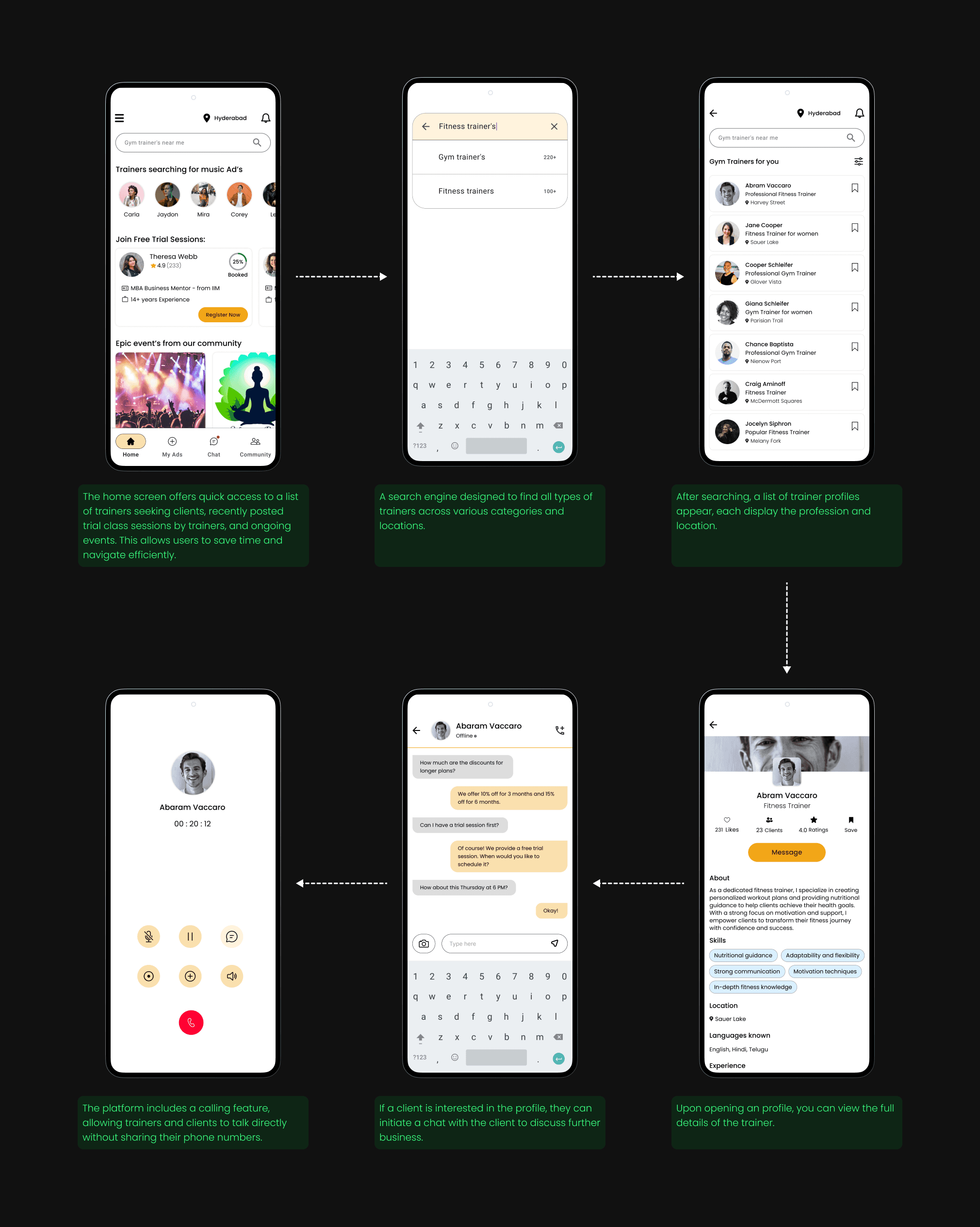
Clients can search for specific trainer profiles. When they find an interesting profile that matches their requirements, they can communicate with the trainert to discuss further business.
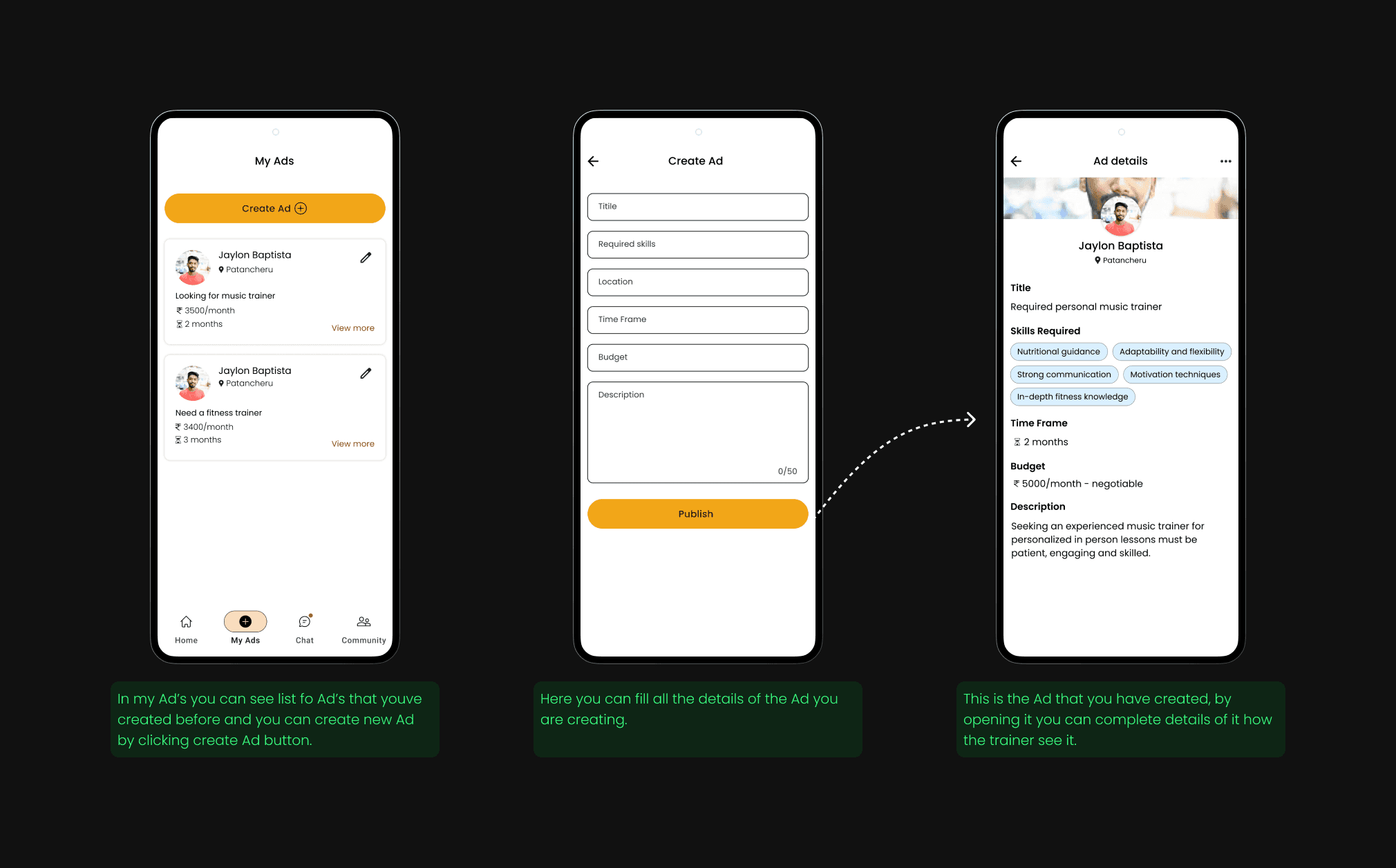
Ad Posting
Absolutely! Here’s the revised 2-line version including both trainers and clients:
The Ad Posting feature allows both trainers and clients to create and share customized ads within the app. This helps users easily discover relevant trainers or clients, boosting visibility and engagement on the platform.
Usability testing
We tested the trainer finder app with the target users, receiving highly positive feedback. Users found it easier to navigate and were satisfied with the design.
We gathered insights through direct interviews and implemented minor design improvements based on the feedback. These changes led to smoother workflows and a steady rise in user adoption and engagement.
Learnings
Through user interviews and usability testing, I learned the importance of deeply understanding user needs and continuously refining designs. Each iteration made the platform more intuitive and user-friendly. Staying flexible in my design approach helped address diverse user challenges, reinforcing the value of a user-centered and iterative development process.
Explore more case studies
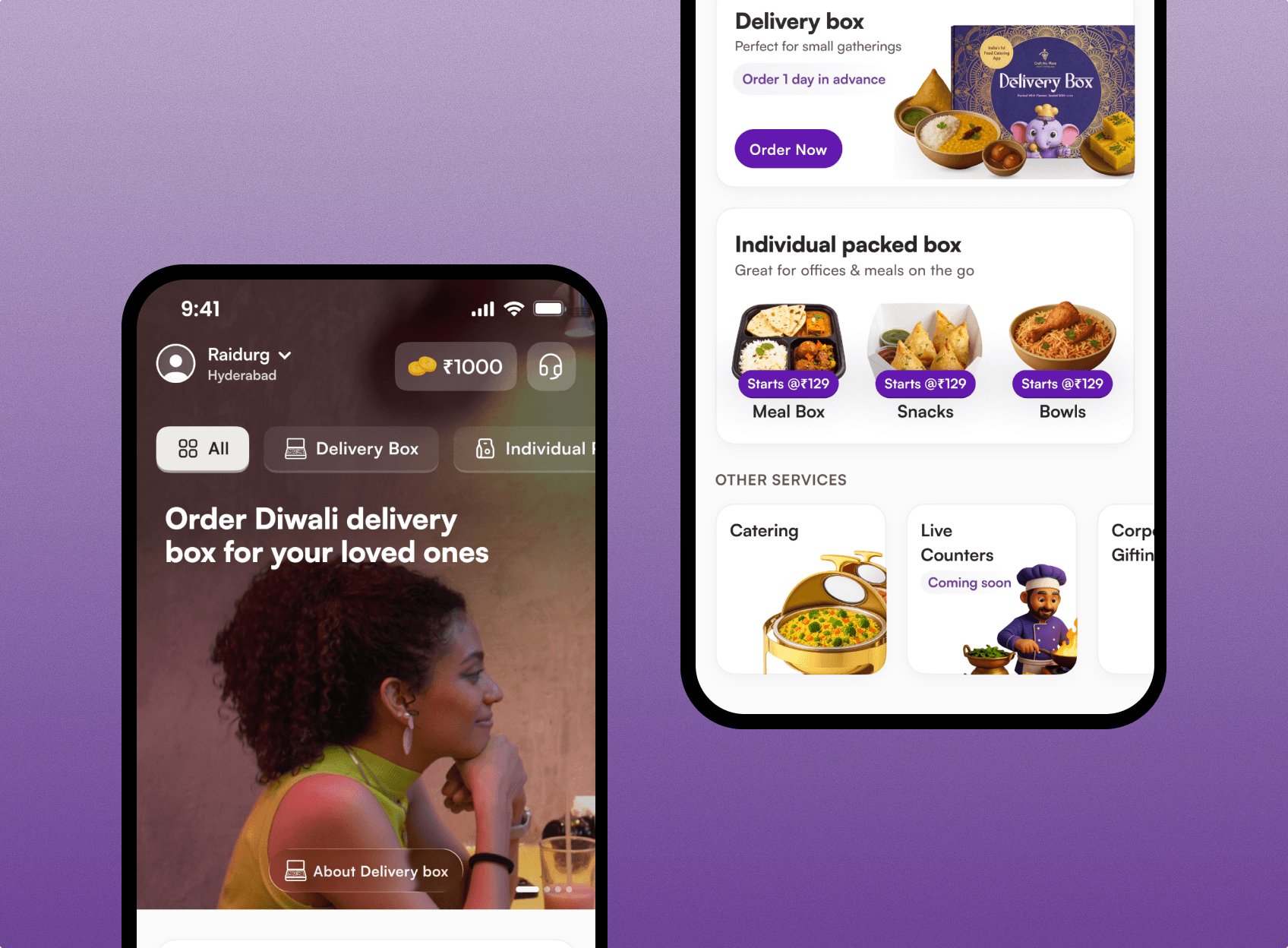
Craft My Plate - APP
This project showcases my work in creating Craft My Plate’s full ordering journey, solving key pain points across both pre-order and post-order phases
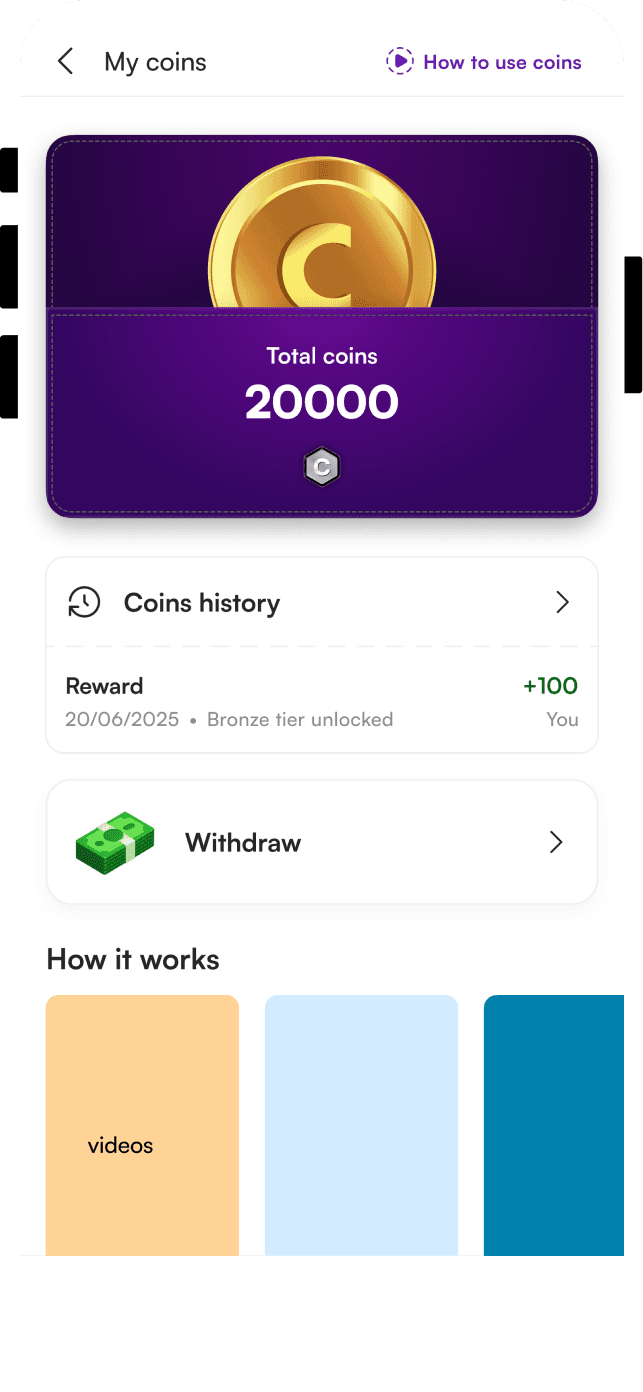
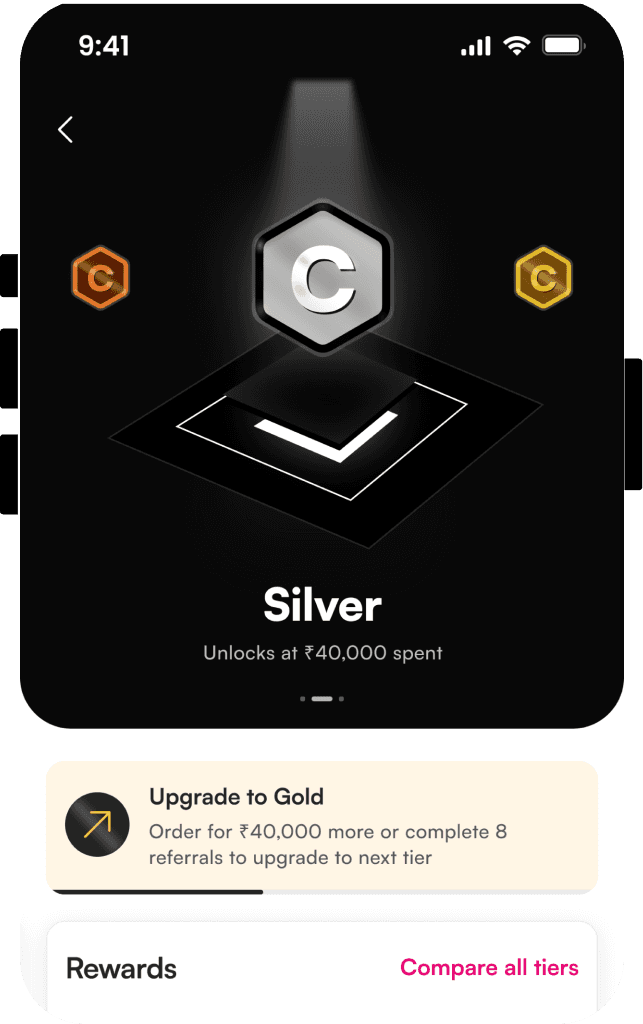
Loyalty for Craft My Plate
Trainer Finder connects you with self-employed trainers who match your goals, location, and preferences. Access live training sessions, secure communication, and a supportive community all in one seamless app.
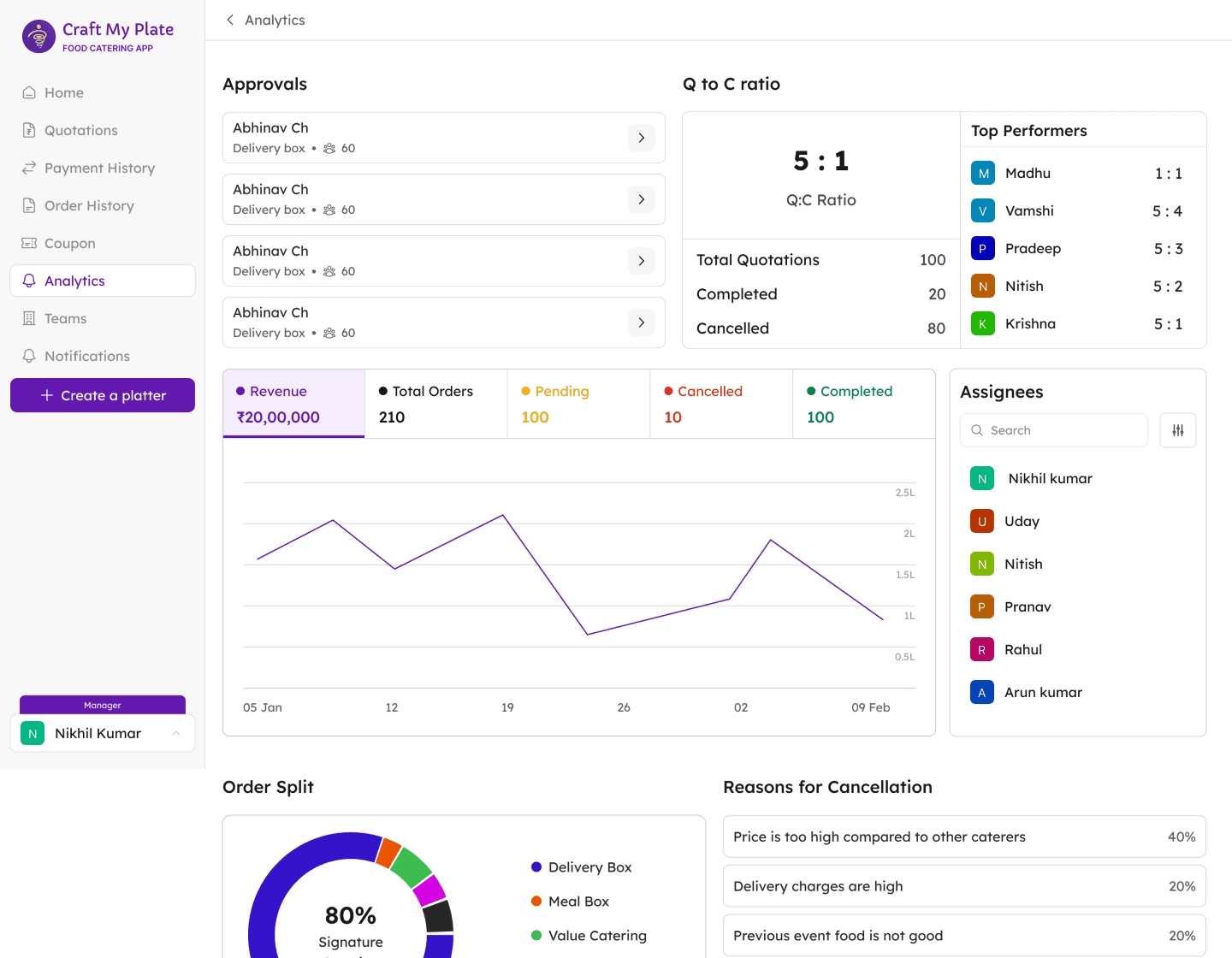
OMS | Order Management System
A centralized solution designed to eliminate miscommunication, prevent duplicate orders, and empower sales teams with real-time tracking and approval workflows.